From saying it to doing it.
Follow-ups extracted from recalls and sessions go into Actions, separated into to-dos and notes. Check off completed tasks, or return to the relevant text to see exactly what was said.
Turn what was just said into records you can find
and actions you can take.
Start listening, then carry on with your conversation. Transcribe and analyze text on your device, with cloud options you can choose to enable.
Feature overview · The beta is evolving. Features depend on your installed version.Something to bring when you head out. An idea mid-conversation. The next steps from a meeting. Recall organizes recorded speech into text, helps you recover the context, and puts next steps in Actions.
No need to wait until the conversation ends. While listening, tap “Recall 60 seconds” to capture the recent segment and organize it into to-dos or notes based on its content.
Website demo. Does not activate your microphone.
“Remember to take an umbrella when you head out tomorrow.”
To-dos are extracted from tasks explicitly mentioned in the original speech. Check important dates, times, and details.
Recall covers only audio actually captured after listening began, up to the most recent 60 seconds. If less than a minute is available, it uses what has been recorded. Pausing stops capture. When listening resumes, the recall buffer does not include audio from before the pause.
Follow-ups extracted from recalls and sessions go into Actions, separated into to-dos and notes. Check off completed tasks, or return to the relevant text to see exactly what was said.
Browse the timeline by date and search saved text. You can also ask your records a question, then check the original words using the answer's references, with less scrolling through long conversations.
Finish a session with more than a long transcript. Organize what you discussed, what needs more thought, and what to do next into separate sections.
Quickly return to the main thread, decisions, and next steps. Expand topics to explore the details.
Notice contradictions, gaps in reasoning, or points worth exploring further, and view the text behind each observation.
Get explanations of terms and a list of claims to check. A model's explanation does not mean a fact has been verified.
View the original text by its actual timestamps, search passages, and check references. You can edit text when recognition gets it wrong.
Analysis may miss details or make incorrect judgments. Online verification is available only in supported cloud modes. In local mode, you can copy claims and look them up yourself. Processing speed depends on the model, device, and content length.
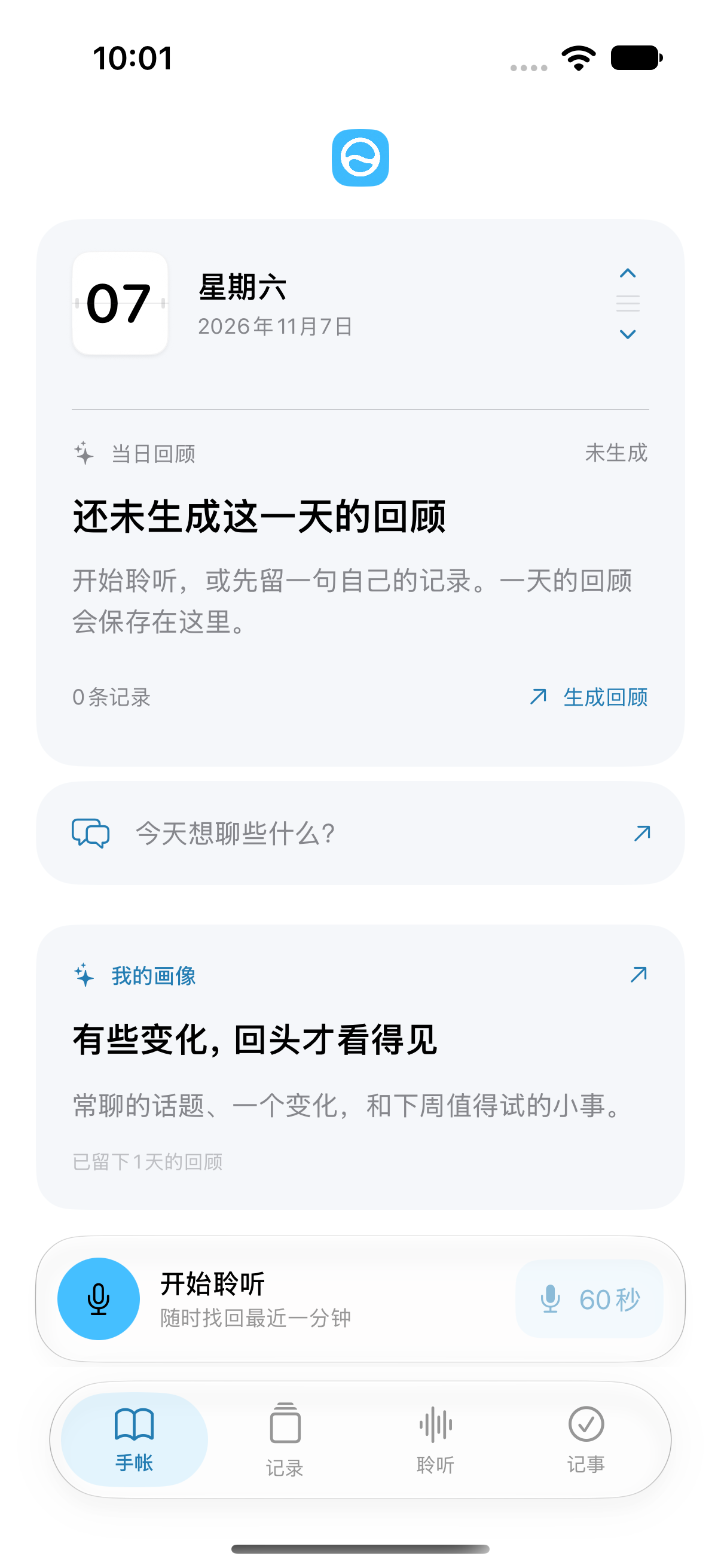
Browse dates in Journal to revisit your records and daily reviews. Overviews, insights, suggestions, and the day's records sit together, helping you remember what happened and carry a little context into tomorrow.
Reviews are generated from existing records. They cannot reconstruct parts of your life that were never recorded.

This is a core design principle for Recall. Transcription, text analysis, and cloud options are explained separately, so you know what you are choosing and where your content goes.
When you choose on-device speech and text models, the corresponding processing runs on your device. Local failures do not automatically switch to the cloud. First use usually requires an internet connection to download models, which take up storage space.
iPhone audio is removed after successful transcription and text saving. Apple Watch copies are removed after successful transfer. Pending clips may be stored temporarily for retries and are removed after 7 days when device cleanup runs. Mac recordings exist only in memory; untranscribed audio cannot be recovered after you quit.
When you select and allow cloud speech processing or API analysis, the relevant audio, text, or context is sent to your chosen service. Third parties may charge fees, and you should review their data handling policies separately.
Permissions, sync, exports, and deletion are also yours to manage.
Read the details before enabling optional features such as health or location.
iPhone, iPhone Duo, iPad, Mac, and the companion Apple Watch app. Different screens and ways to start, with capabilities and requirements explained for each.
Check each platform's actual guidance on installation, models, sync, and membership benefits. This website does not promise automatic cross-device sync, identical features on every platform, or shared purchase entitlements across platforms.
Explore the features, choose how your content is processed, then start listening. Check important details and respect every participant's right to be informed and to choose.
Install Apple TestFlight first, then open the beta link on your iPhone. Places, available versions, and features depend on TestFlight and the actual app. This website does not indicate that every feature described is already available in the public beta.
Changing the website language only changes the website's text. It does not mean the app supports the same speech recognition languages. Check app settings for the languages supported by speech and text models.